


囲炉裏noun. The sunken hearth of a Japanese house; the place everyone gathers.
Every game you own, around one fire.
A native game launcher for Linux, macOS and Windows. Your Epic Games, GOG, Amazon Games, ZOOM Platform, itch.io and Steam libraries, your emulators and the games you add yourself, in one calm library that opens instantly.
- Free and open source, MIT
- No account needed
- No ads, no telemetry
- 19 languages
Gathers
Eleven stores and launchers, built in
Irori speaks the Epic Games, GOG and Amazon Games protocols itself, in Rust. There is no legendary, gogdl or nile to download, update or break.
How each store works- Epic GamesCloud saves, EOS overlay
- GOGCloud saves, achievements
- Amazon GamesSigned manifests
- ZOOM PlatformOpt-in
- itch.ioAPI key, opt-in
- SteamNo sign-in needed
- Battle.netOwn Wine prefix
- EA appOwn Wine prefix
- Ubisoft ConnectOwn Wine prefix
- Rockstar Games LauncherOwn Wine prefix
- Microsoft StoreGame Pass on Linux
A tour of the room
Everything in its place
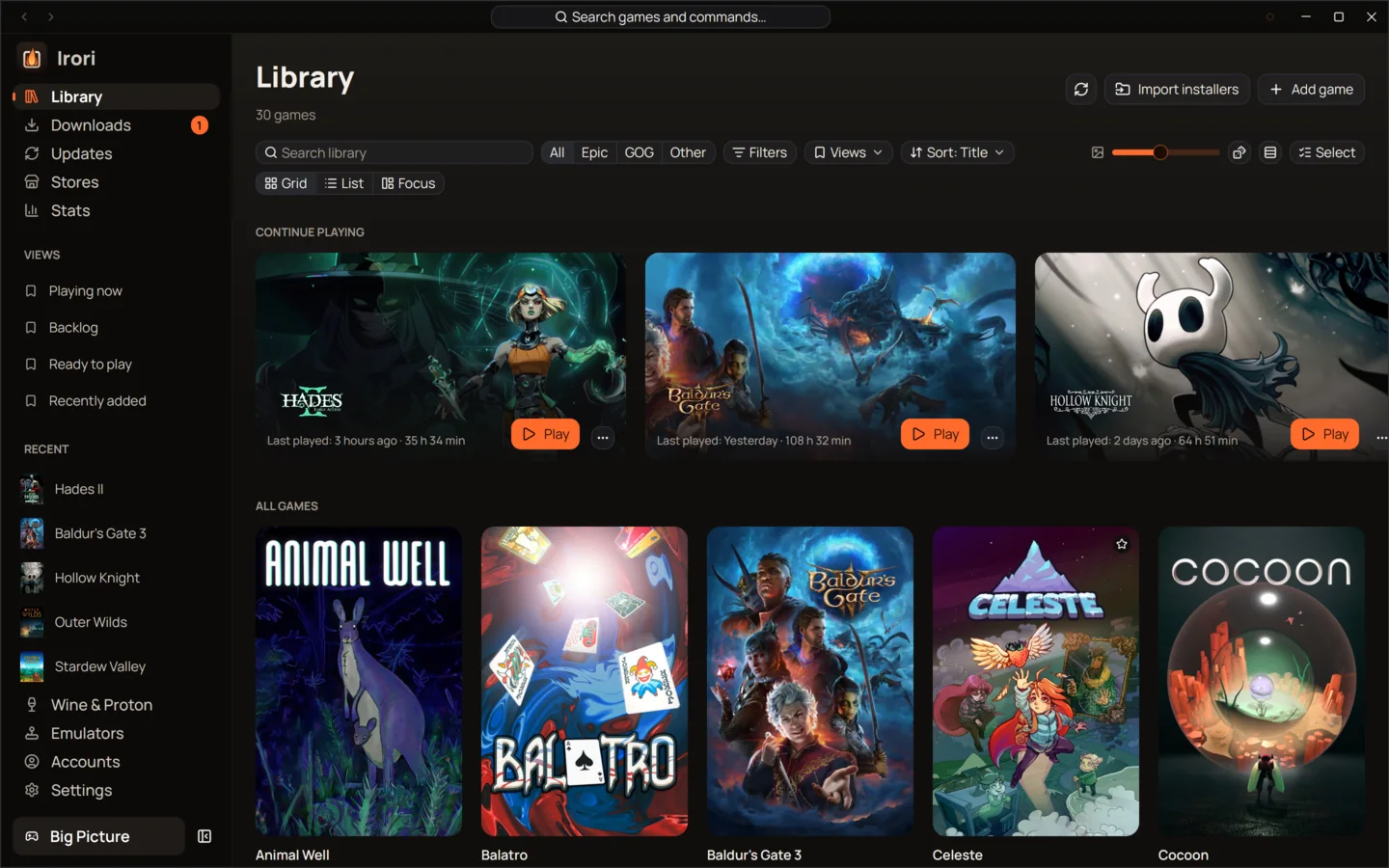
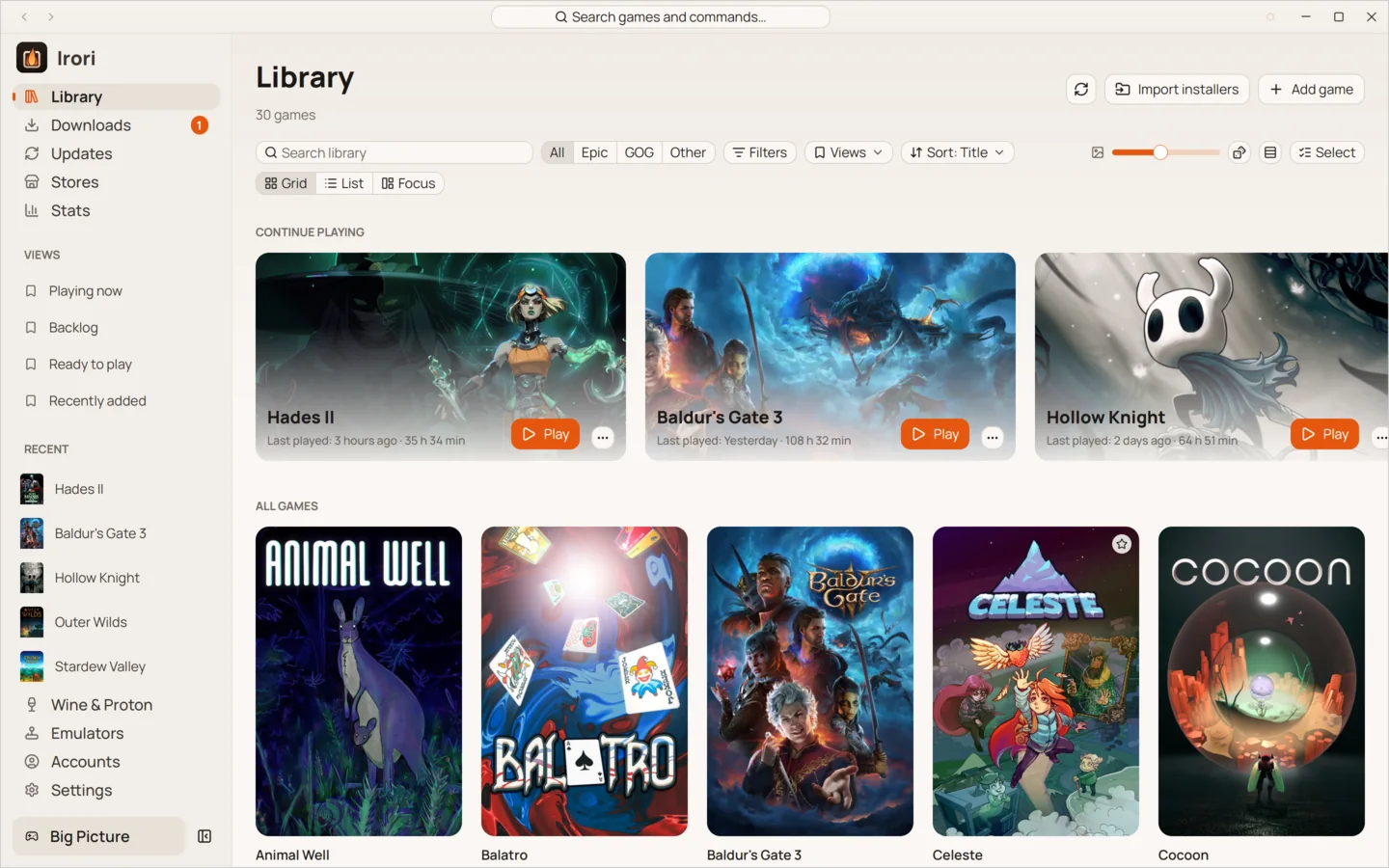
This is Irori’s library on Linux, with real games and their art. Pick a number to see what each part does.
Features
Built for people who just want to play
Each area has its own page with the details. Start anywhere.
- LibraryOne library for every game you ownEvery store, your ROMs and your own games in one grid that stays smooth at thousands of covers.
- StoresEleven stores and launchers, built inStore protocols written in Rust inside Irori, with several accounts per store and nothing extra to download.
- PlayOne click to play, tuned per gameOne click to play from anywhere, with per-game settings that inherit your defaults and show what you changed.
- Wine and ProtonWine, Proton and Game Porting Toolkit, managed for youManaged Wine and Proton builds on Linux, Wine, CrossOver and Game Porting Toolkit on macOS, a prefix per game.
- EmulatorsEmulators, set up oncePoint Irori at your ROM folders; it recognizes each system, installs the emulator and checks your BIOS.
- Big PictureBig Picture, made for the couchThe whole launcher with a controller, opening by itself in the Steam Deck’s Game Mode and scaled for a TV.
- StatsStats that show how you playEvery session counted by Irori, merged with the stores’ own totals, shown as weeks, streaks and favourites.
- Downloads and updatesDownloads that finish, updates in one placeA queue that pauses offline and resumes after a restart, and one Updates page for games and tools.
- PerformanceFast, light and quietOne native process drawn on your GPU, about 88 MiB of memory and zero CPU while it waits.
Everywhere
Windows games on every system
Irori keeps the system running the launcher apart from each game’s own platform, and picks the right way to start it.
- 01LinuxWine, Proton or umu, with GE-Proton, Proton-CachyOS, Wine-GE and Kron4ek builds downloaded for you.
- 02macOSWine, CrossOver or Apple’s Game Porting Toolkit on Apple silicon, plus Wine-Crossover and Wine-Staging-macOS.
- 03WindowsWindows games run natively. No Wine, no extra downloads, no administrator rights.
Stats
Know how you play
Irori counts every session itself and keeps the larger of its own total and the store’s. The Stats page shows your week, your streaks and the games you return to.
About stats Baldur's Gate 3108 h 32 min
 The Witcher 3: Wild Hunt93 h 24 min
 Stardew Valley78 h 40 min
 Hades73 h 25 min
Measured
No browser inside
Irori draws its interface on your graphics card from native code, so it starts fast and leaves your memory to your games.
- of memory, in one process
- 88MiB
- CPU while it sits idle
- 0%
- for the whole program
- 76MB
- languages, switchable live
- 19
Measured on Linux with an empty profile and the window open. A large library hasn’t been measured yet.
Big Picture
The same library, in your hands
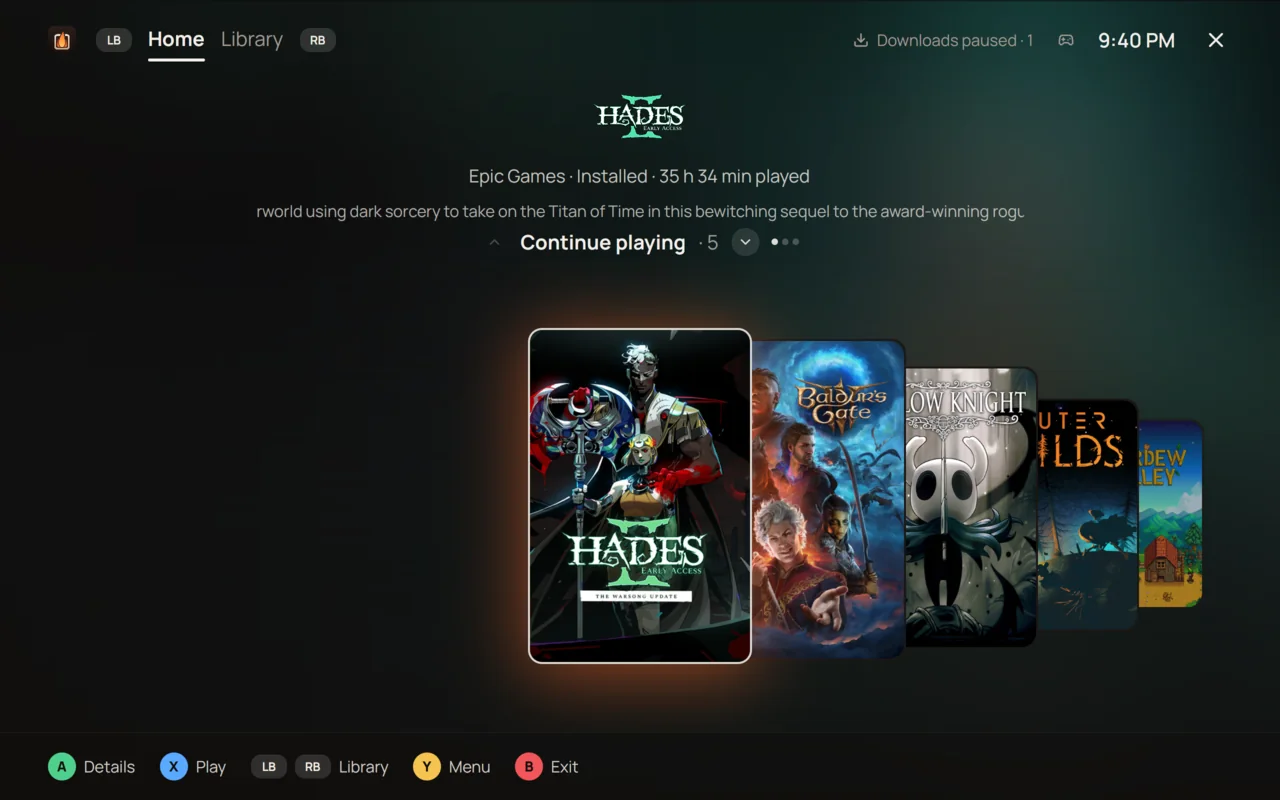
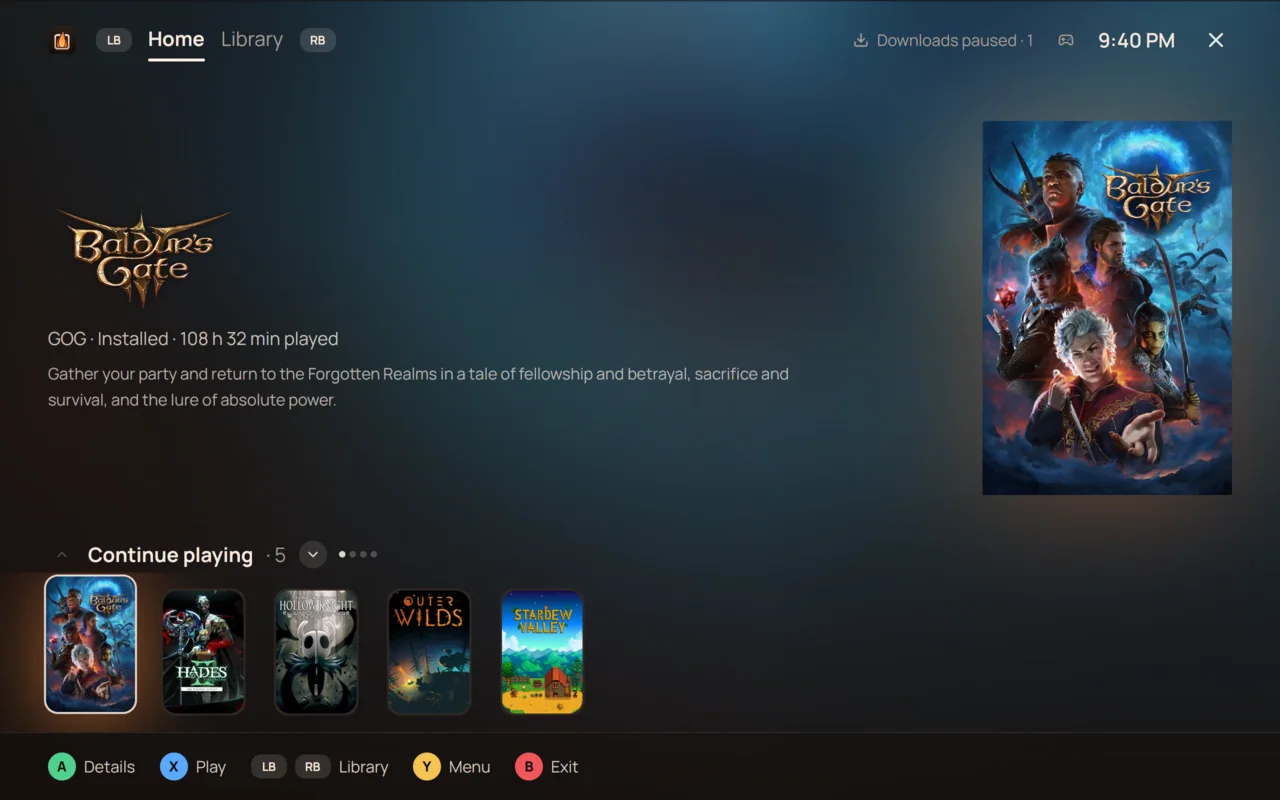
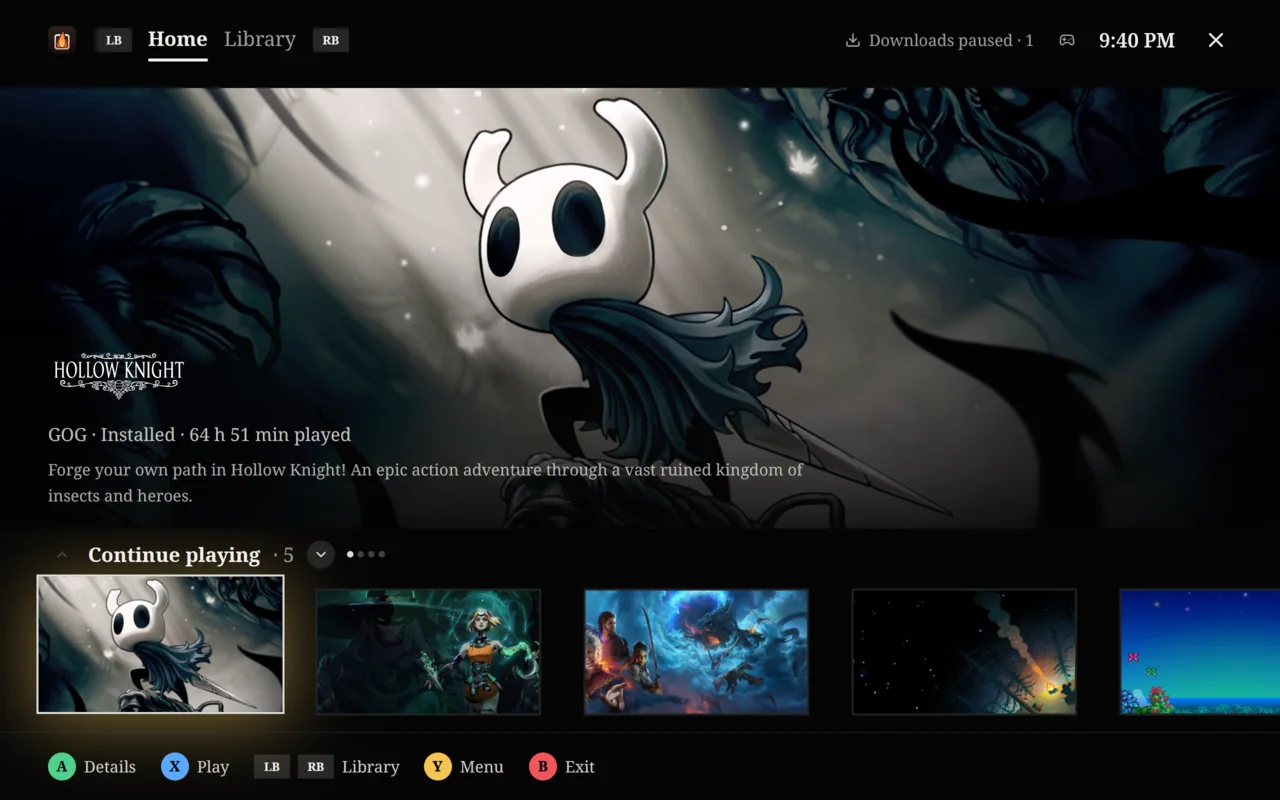
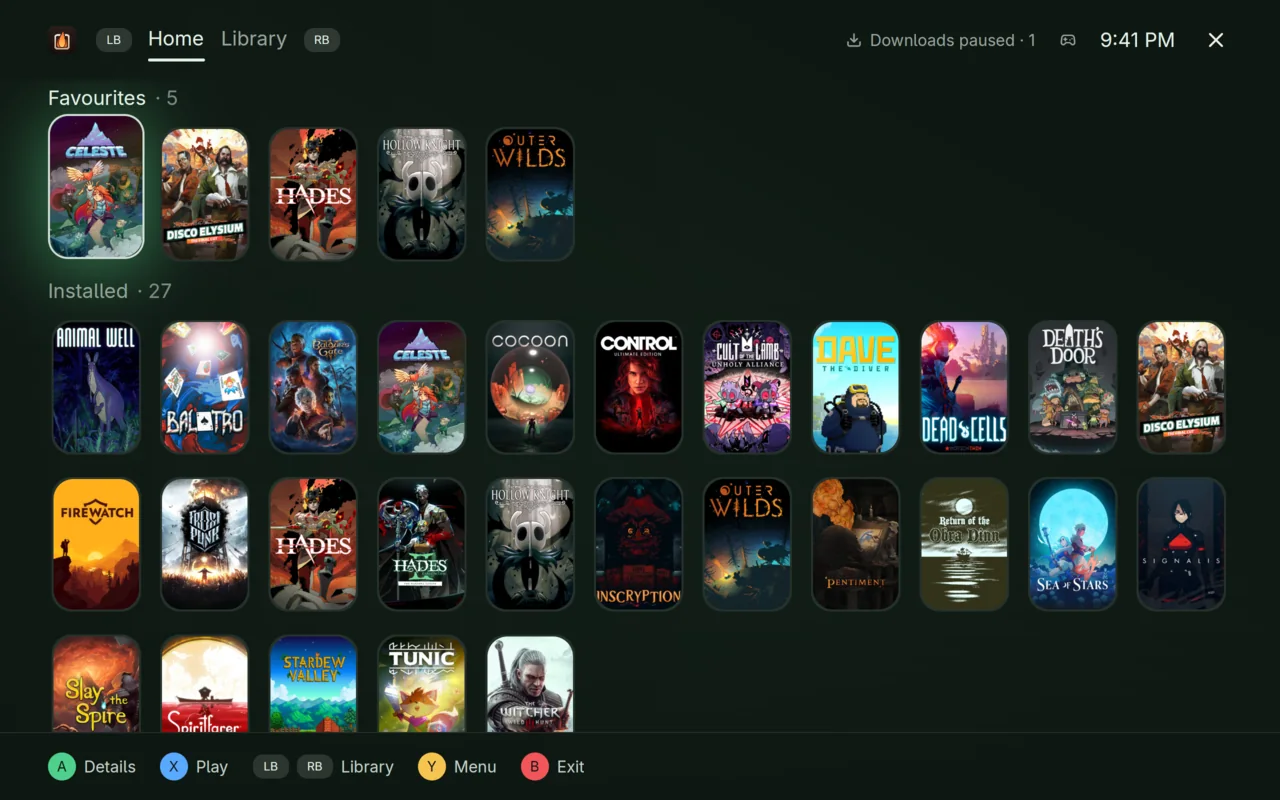
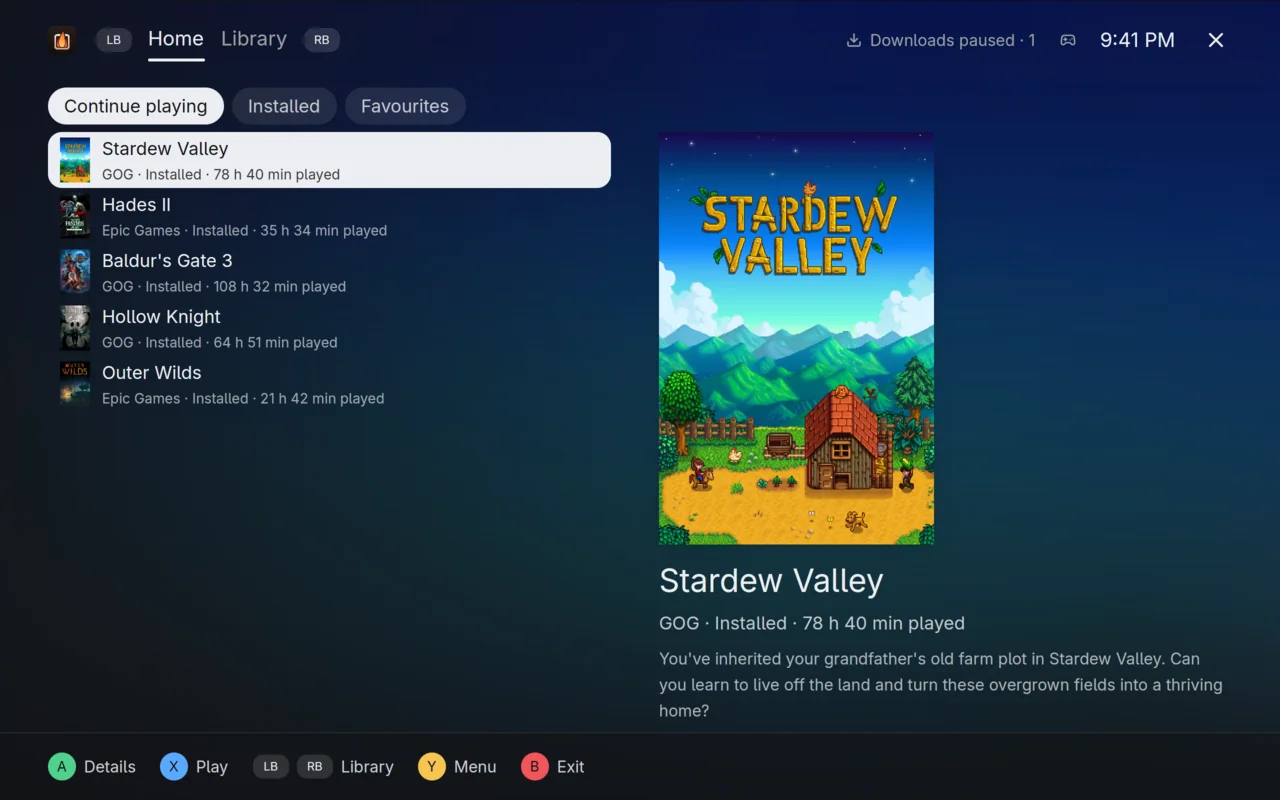
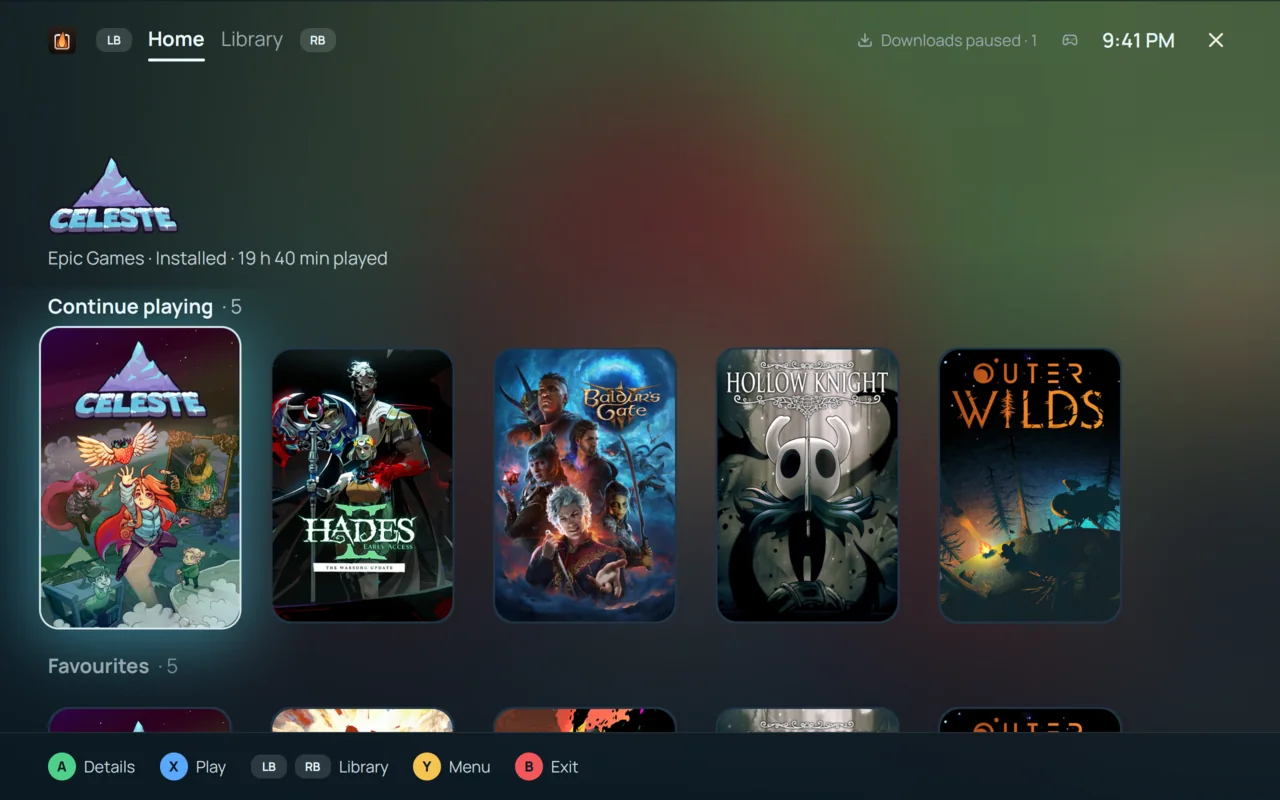
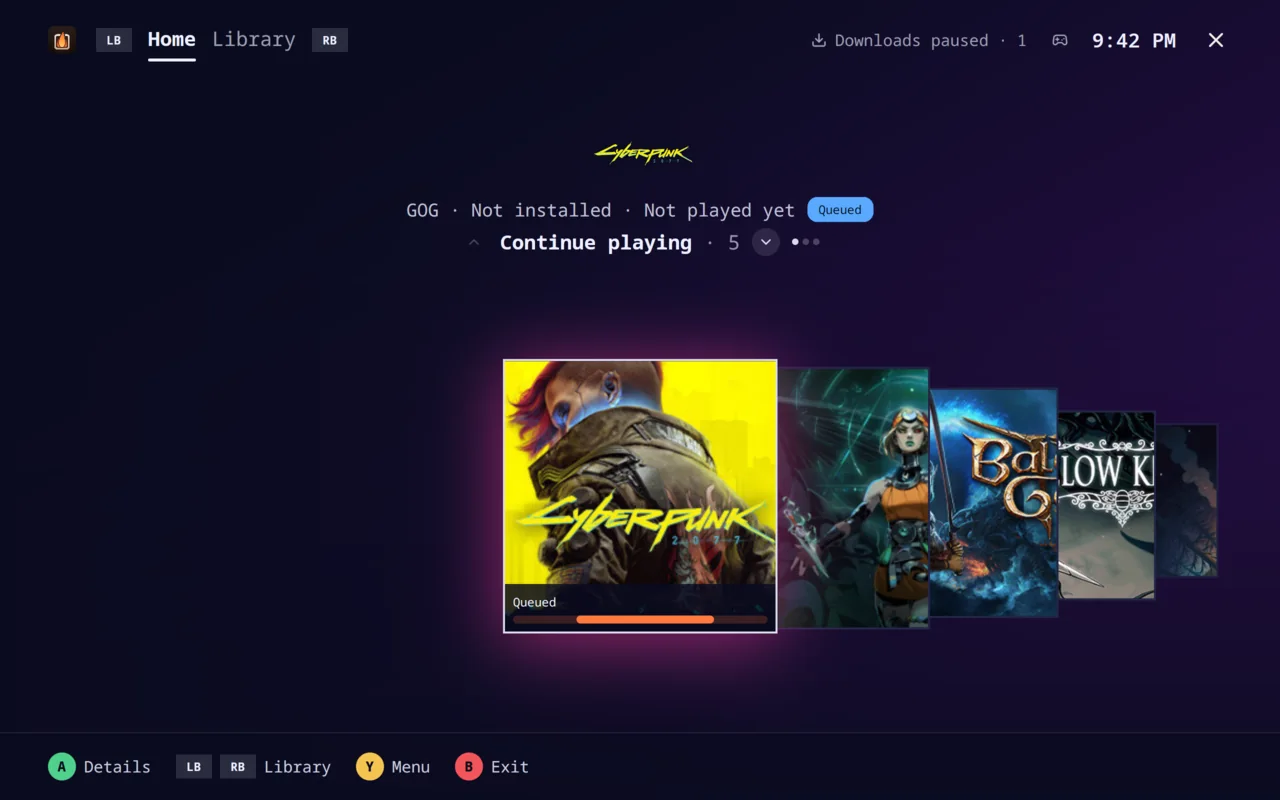
Big Picture turns the whole launcher into a controller interface, for a TV across the room or a handheld in your lap. It opens by itself in the Steam Deck’s Game Mode.
- Eight themes and six layouts, or a theme you make and share
- Xbox, PlayStation and DualSense, Switch Pro and Steam Deck button hints
- The Guide button opens and closes it from anywhere
Compare
How Irori compares
An honest look at Heroic Games Launcher, Playnite and Lutris: what each does well, and where Irori differs.
| Feature | Irori | Heroic | Playnite | Lutris |
|---|---|---|---|---|
| Linux | Yes | Yes | No | Yes |
| macOS | YesWine, CrossOver, Game Porting Toolkit | YesmacOS 14 or newer | No | No |
| Windows | Yes | Yes | Yes | No |
| Epic Games and GOG downloads without helper tools | YesProtocols built in, in Rust | NoRuns legendary and gogdl | NoThrough the stores’ own clients | PartlyGOG directly; Epic through its launcher in Wine |
| Cloud saves | YesEpic Games and GOG | YesEpic Games and GOG | NoLeft to the store clients | PartlyGOG only |
| Emulators | YesInstalls and updates them | No | Yes | YesAs runners |
| Licence | MIT | GPL-3.0 | MIT | GPL-3.0 |
Guides
Step by step
From your first Epic Games install on Linux to bringing a Heroic or Lutris library along.
- Play Epic Games on LinuxSign in, install and play your Epic Games library through Proton, with cloud saves.
- Play GOG games on LinuxNative Linux installers, Windows games through Proton, achievements and cloud saves.
- Play Amazon Games and Prime Gaming on LinuxSign in once, install the games you claimed, play them through Proton.
- Install and play your itch.io gamesTurn itch.io on, paste an API key, and your purchases install and update like any other store.
Download
Light the fire
Irori comes from the package manager you already use, and updates with the rest of your system.
Download Irorix86-64 and arm64. The sign-in window is a separate, recommended package that brings WebKitGTK.
Debian, Ubuntu
sudo apt install -y curlcurl -fsSL https://packages.irori.app/irori.gpg | sudo tee /usr/share/keyrings/irori.gpg > /dev/nullcurl -fsSL https://packages.irori.app/irori.list | sudo tee /etc/apt/sources.list.d/irori.listsudo apt update && sudo apt install iroriAlso for Linux Mint and Pop!_OS.
Fedora, openSUSE
sudo curl -fsSLo /etc/yum.repos.d/irori.repo https://packages.irori.app/irori.reposudo dnf install iroriArch Linux
curl -fsSLo /tmp/irori.asc https://packages.irori.app/irori.ascsudo pacman-key --add /tmp/irori.asc && sudo pacman-key --lsign-key 6DD7B72703FE3BD5C719F4CE6FE681AB798DF656printf '\n[irori]\nServer = https://packages.irori.app/arch/$arch\n' | sudo tee -a /etc/pacman.confsudo pacman -Syu iroriAlso for Manjaro, EndeavourOS and CachyOS.
Flatpak
flatpak remote-add --if-not-exists --user flathub https://dl.flathub.org/repo/flathub.flatpakrepoflatpak install --user ./Irori-*-linux.flatpakDownload the .flatpak from the releases page first. Also the way to install on Steam Deck, in Desktop Mode. Irori isn’t on Flathub yet, so install each new version the same way.
AppImage
chmod +x Irori-*-x86_64.AppImage./Irori-*-x86_64.AppImageDownload Irori-…-x86_64.AppImage, or Irori-…-aarch64.AppImage for arm64, from the releases page: one file for any distribution with glibc 2.35 or newer, nothing to install. AppImageUpdate and Gear Lever update it in place.
macOS 12 or later, on Apple silicon and Intel.
Homebrew
brew install --cask irori-app/tap/iroriDisk image
Download the .dmg for Apple silicon or Intel from the releases page and drag Irori to Applications.
Windows 10 and 11, x64 and arm64. Builds aren’t signed yet, so SmartScreen may warn the first time: choose More info, then Run anyway.
Installer
Download Irori-…-windows-setup.exe from the releases page. It installs for your user and never asks for administrator rights.
Portable
Download Irori-…-windows-portable.zip and unpack it anywhere, a USB drive too. Irori keeps its settings and data in that folder and adds nothing to Windows: no Start menu entry, no registry keys.
Scoop
scoop bucket add irori https://github.com/irori-app/scoop-bucketscoop install iroriIs Irori a fork of Heroic?
No. Irori is written from scratch in Rust and draws its interface with GPUI on your graphics card. It matches what Heroic Games Launcher can do, and its store support is a Rust port of legendary, gogdl and nile, the tools Heroic runs.
Do I have to sign in to anything?
Only to the stores whose games you want to see. Steam games are read from Steam’s own files without a sign-in, and emulated and added games need no account at all.
How do Windows games run on Linux and macOS?
On Linux through Wine, Proton or umu; on macOS through Wine, CrossOver or Apple’s Game Porting Toolkit. Irori downloads and manages these builds for you, and each game can use its own.
Does Irori download BIOS files or games for emulators?
Never. Irori installs emulators from their projects’ own servers on request. Point it at your own BIOS and game folders, and it checks a game has what it needs before it starts.
Can I bring my Heroic or Lutris library?
Yes. Irori imports Heroic’s accounts, installs, settings, favourites and categories in one click, and reads Lutris’s games, categories and playtime without changing anything in Lutris. Bottles and Faugus Launcher libraries come along too, and on Windows so does Playnite’s.
Does Irori collect data about me?
No. Irori sends no telemetry, analytics or crash reports. When it crashes, the report is saved on your computer and nowhere else.
What does it cost?
Nothing. Irori is free software under the MIT licence, and its source is on GitHub.