
Play
One click to play, tuned per game
Play from the library, the palette, the tray, shortcuts or irori:// links. Per-game settings inherit your defaults, with gamescope, DXVK, VKD3D-Proton and upscalers.
1 min read
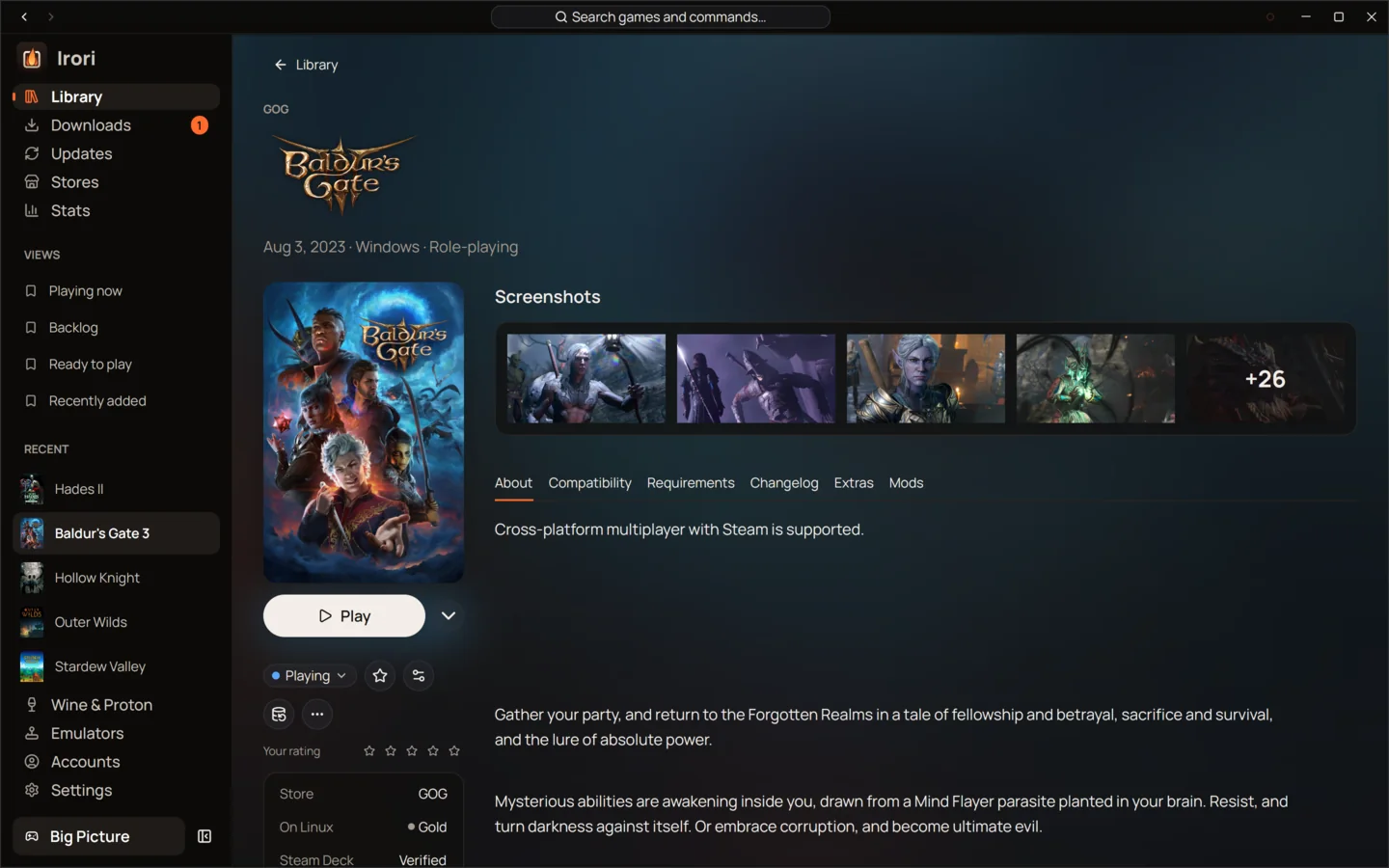
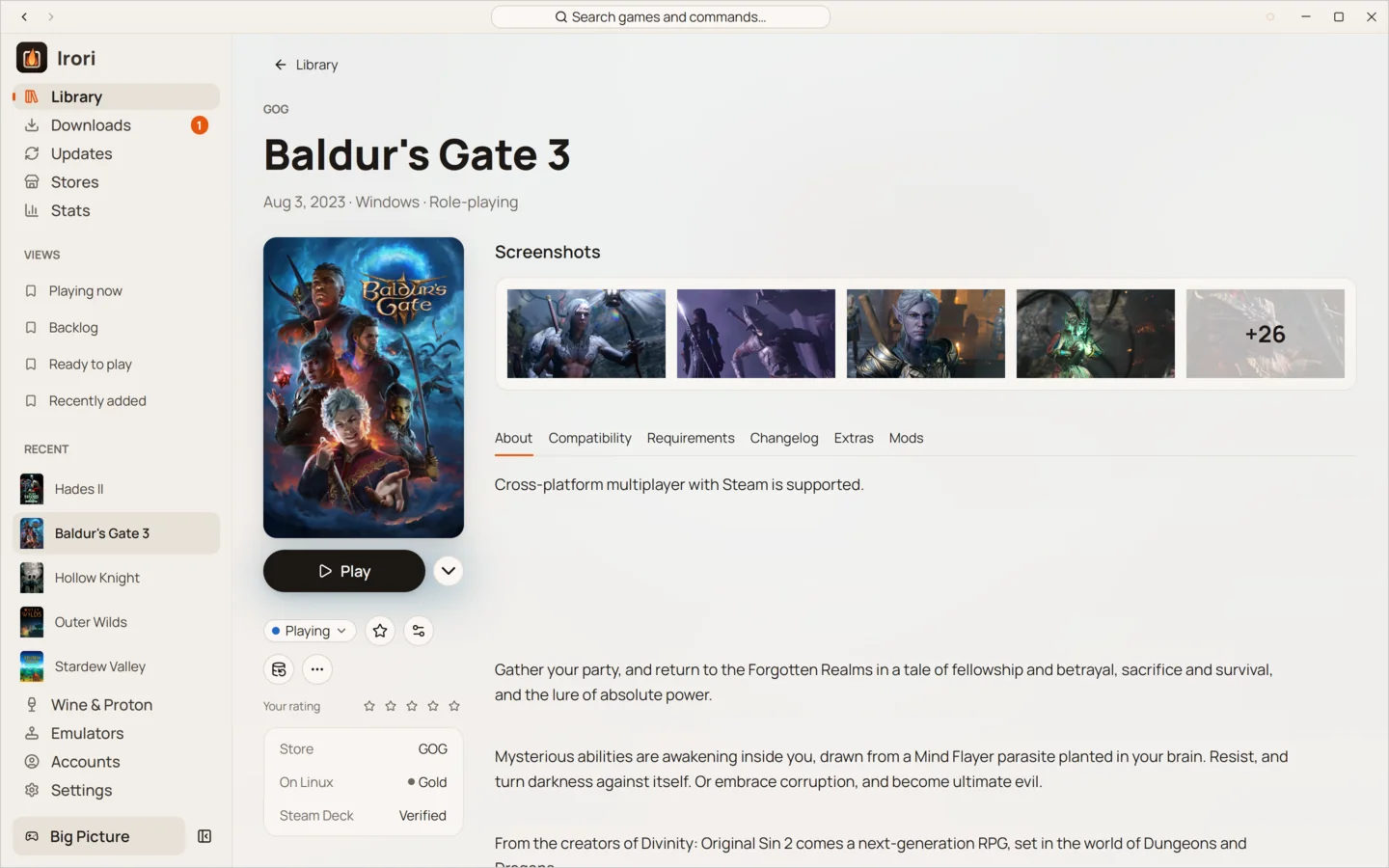
- Play from anywhereLibrary tiles, the game page, Ctrl K, the tray menu, desktop and Steam shortcuts, and irori:// links.
- Settings that inheritEvery game starts from your defaults and shows exactly what you overrode.
- gamescope with one switchRun any game in gamescope, with upscaling if you want it.
- Upscaler upgradesTurn on descriptor heap and Proton’s DLSS, FSR and XeSS upgrades without looking up variables.
- Saves that follow youCloud saves sync before and after you play, and Irori asks which to keep when both changed.
- Add to SteamAny game, installed or not, filed under an “Irori” collection in Steam.
One click, from anywhere
A game starts from its tile in the library, its own page, the command palette
(Ctrl K), the tray menu’s recent games, a desktop or Steam shortcut, or an
irori://launch/<runner>/<app> link. Heroic’s heroic:// links work too. Because any web page
can open a link, irori://launch asks before it starts a game.
Before a game starts, Irori checks it is ready, syncs its cloud saves when that is on, prepares Wine when the game needs it, and runs your before-launch script. While it runs, your computer won’t go to sleep, and when it ends the session is added to your playtime.
Settings that inherit
Each game’s settings start from your global defaults. Change one, and the game page shows that it is overridden; reset it, and the game follows the default again. Settings are searchable, so you don’t have to remember where an option lives.
Tune without the wiki
- Run any game in gamescope with one switch, upscaling optional.
- Pick the DXVK and VKD3D-Proton versions a Wine build uses.
- Turn on descriptor heap and Proton’s DLSS, FSR and XeSS upgrades without looking up environment variables.
- MangoHud, GameMode, umu and the Steam runtime on Linux; Msync, the Metal HUD, Rosetta AVX advertisement and Retina mode on macOS.
- The game’s log can open by itself when it starts.
Saves, shortcuts and the rest
Cloud saves for Epic Games and GOG sync before and after you play. When saves changed both on your computer and in the cloud since the last sync, Irori stops and asks which ones to keep instead of guessing.
“Add to Steam” puts any game in Steam, installed or not, under an “Irori” collection; Steam starts Irori, which offers to install a game that isn’t installed yet. Irori also makes desktop shortcuts, shows Discord Rich Presence, and browses winetricks verbs for a game’s prefix.
Keep reading
- Wine and ProtonWine, Proton and Game Porting Toolkit, managed for youManaged Wine and Proton builds on Linux, Wine, CrossOver and Game Porting Toolkit on macOS, a prefix per game.
- StoresTen stores and launchers, built inStore protocols written in Rust inside Irori, with several accounts per store and nothing extra to download.
- StatsStats that show how you playEvery session counted by Irori, merged with the stores’ own totals, shown as weeks, streaks and favourites.
Ready to light the fire?
Irori is free, open source and installs from the package manager you already use.
Download Irori