
Stores
Ten stores and launchers, built in
Irori speaks the Epic Games, GOG and Amazon protocols itself, adds ZOOM Platform, itch.io and Steam, and sets up Battle.net, EA app, Ubisoft Connect and Rockstar.
2 min read
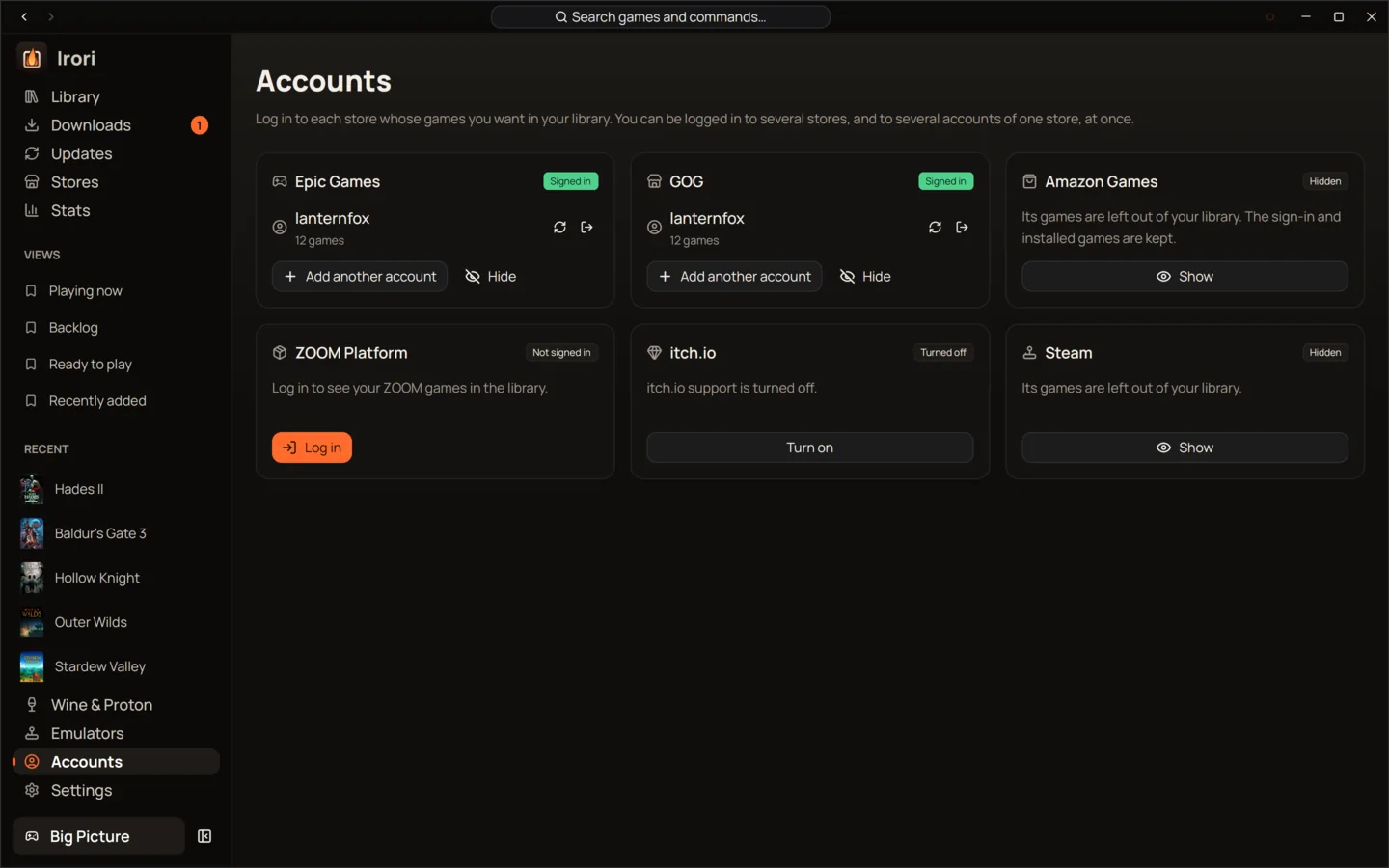
- No helper toolsEpic, GOG and Amazon protocols are Rust ports of legendary, gogdl and nile, built into Irori.
- Several accounts per storeEpic Games, GOG, Amazon Games, ZOOM Platform and itch.io each take more than one account.
- Cloud savesEpic Games and GOG saves sync before and after you play, and Irori asks when both copies changed.
- GOG Galaxy featuresGOG achievements and playtime through a built-in Galaxy service for the games Irori starts.
- Steam without a sign-inInstalled Steam games appear from Steam’s own files; sign in only to add the rest.
- Signed in by itselfThe sign-in window finishes on its own, so you never copy a code.
Built in, not bolted on
Most launchers for Epic Games, GOG and Amazon Games run separate command-line tools behind the scenes. Irori doesn’t. Its store protocols are Rust ports of the parts of legendary, gogdl and nile that it needs, compiled into the launcher, so downloads, updates and cloud saves need no external store tools to download, update or break.
| Store | What Irori does |
|---|---|
| Epic Games | Library, install, update, repair, move and import, cloud saves, the EOS overlay |
| GOG | Library, install and import, native Linux installers, cloud saves, achievements and playtime, private branches, REDmod |
| Amazon Games | Library, install, update and repair from Amazon’s signed manifests |
| ZOOM Platform | Library and installs, turned on in Settings |
| itch.io | Log in with an API key, then install, update and play what you own; turned on in Settings |
| Steam | Installed games with no sign-in; owned and Family games with one |
| Battle.net, EA app, Ubisoft Connect, Rockstar Games Launcher | Set up once in a Wine prefix of their own; their games join the library |
Several accounts per store
Epic Games, GOG, Amazon Games, ZOOM Platform and itch.io each take several accounts, shown in one library. A game installed with one account belongs to it: updates, repairs, cloud saves and launches use that account. When several of your accounts own a game, the install sheet asks which one installs it.
Signing in
Store logins open in Irori’s sign-in window, a small helper program, and finish on their own: Irori never needs anything copied. On Linux the window uses WebKitGTK; without it, the page opens in your browser and Irori watches the clipboard for the code. Logins are stored encrypted, with the key in your system keyring.
Steam
Your installed Steam games are read from Steam’s own files, with Steam’s own art, and need no login. Log in to Steam (a QR code for the Steam Mobile app, or your password with Steam Guard) to add every game you own and your Steam Family’s games. Play hands the game to Steam with your launch options and follows it until it ends, so playtime counts. Install, Verify files and Uninstall open Steam’s own dialogs.
itch.io
Turn itch.io on in Settings › General › Integrations, or from its account card, and log in with an API key. Irori downloads the best upload for your system (resumable), unpacks zip and tar archives and finds the program to start.
Battle.net, EA app, Ubisoft Connect and Rockstar
Irori never handles these accounts itself. The Stores page sets each launcher up once, in a Wine prefix of its own with the Wine build you pick (natively on Windows), using the vendor’s official installer. You sign in and install games inside the launcher; Irori reads its local data, lists the games and starts them, and follows the game rather than the launcher for playtime.
Keep reading
- LibraryOne library for every game you ownEvery store, your ROMs and your own games in one grid that stays smooth at thousands of covers.
- PlayOne click to play, tuned per gameOne click to play from anywhere, with per-game settings that inherit your defaults and show what you changed.
- Downloads and updatesDownloads that finish, updates in one placeA queue that pauses offline and resumes after a restart, and one Updates page for games and tools.
Ready to light the fire?
Irori is free, open source and installs from the package manager you already use.
Download Irori